
WEB DESIGN FOR DENTISTS
Dental Website Design
Patients choose a dentist on how calm and trustworthy the practice feels, whether it takes their insurance, and how easy it is to book. A dental website has to answer those three things quickly and feel welcoming, especially to anxious patients and parents.
Quick answer
A dental website needs clear pages for each treatment (cleanings, implants, aligners, cosmetic and children's dentistry), a new-patient page with insurance and first-visit details, an obvious booking or call button, real photos of the team and office, and accessible, fast pages that work well on phones.
WHAT IT NEEDS
What a dental practice website needs to win clients
Treatment pages that answer real questions
What the treatment involves, how long it takes, recovery and cost factors. These pages rank for searches like "dental implants [city]" and calm nervous patients.
New-patient and insurance page
Accepted insurance, what to bring, what happens at the first visit and payment options. It is one of the most-visited pages on any practice site.
Booking front and center
A booking button or online scheduling link in the header, plus click-to-call on mobile. Fewer steps means more appointments.
Warm, real visuals
Photos of the actual team and office instead of generic smiles. Trust is the whole decision.
Accessible and private
Readable contrast, keyboard-friendly navigation and alt text help every patient. Contact forms should collect only what is needed and never ask for health details over a plain email form.
LIVE DEMO
See a dental practice site I built
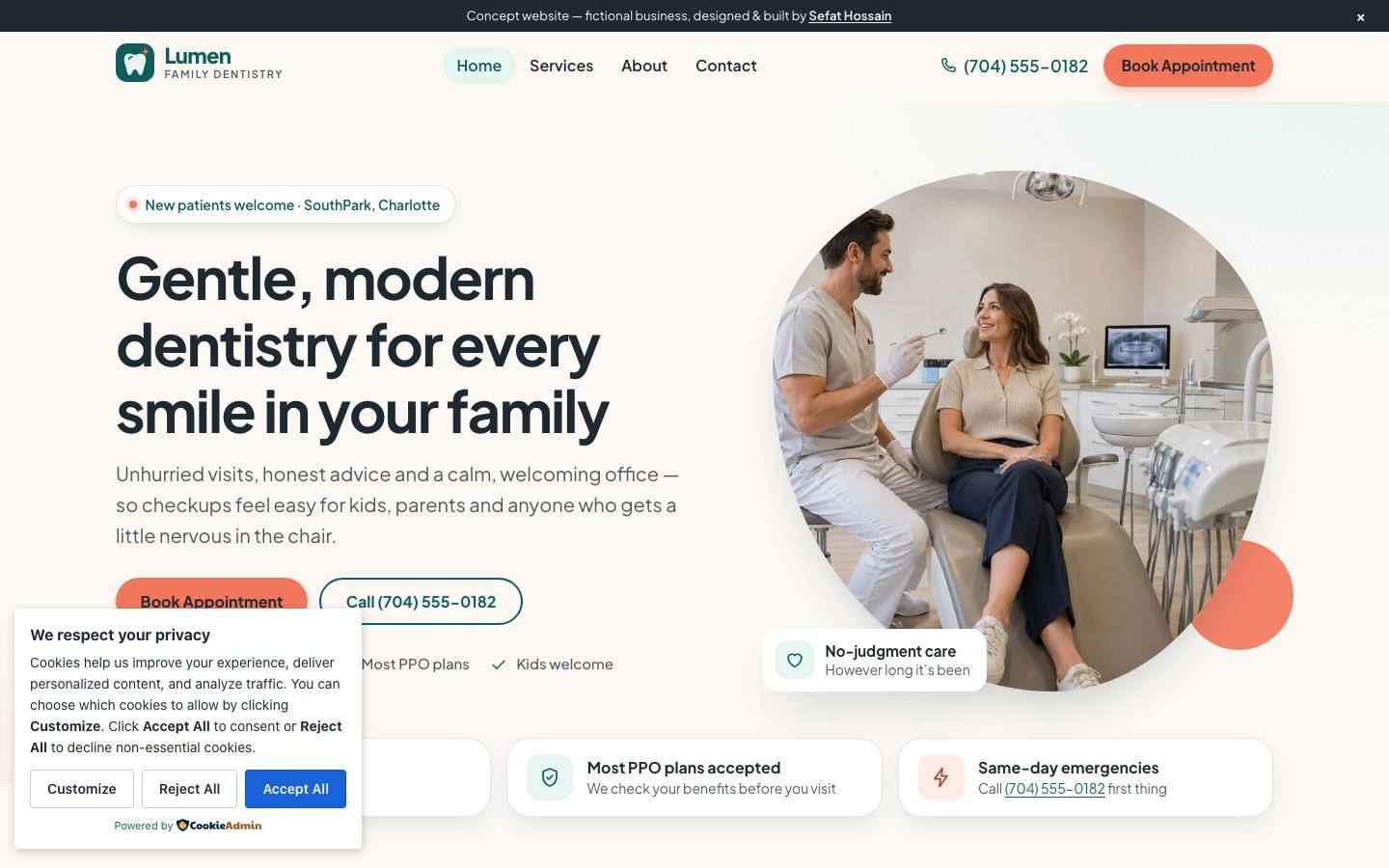
A calm, modern family-dentistry concept site with treatment pages, new-patient info and booking calls to action. It is a concept site for a fictional business, built in WordPress to show what your site could look and work like. Click around it like a real visitor would.
Open Lumen Family Dentistry ↗Common dental practice website mistakes
- Insurance information buried or missing
- One "services" page instead of a page per treatment
- Stock photos that don't show the real practice
- Contact forms that collect health details without proper safeguards
HOW IT WORKS
From plan to launch, with security built in
Plan
We agree on your goals, pages, forms and integrations, and you get a fixed quote and timeline before any design starts.
Design
Homepage and key page designs for desktop and mobile, built around the one action you want visitors to take.
Build
A fast WordPress build you can edit yourself, with SEO foundations, speed tuning and accessibility checks.
Secure and launch
Hardening, backups and monitoring set up before launch, then a walkthrough so your team can manage the site.
I also clean hacked WordPress sites for a living, so every site I build ships with a small, vetted plugin set, locked-down logins, a firewall, off-site backups and update monitoring. Budgeting? See how much a WordPress website costs, or read about my WordPress website development service.
FAQ
Dental Website Design: common questions
How much does a dental website cost?
It depends on the number of treatment pages, locations and integrations such as online booking. See the WordPress website cost guide for typical US ranges; you'll get a fixed quote once the scope is clear.
Can patients book online through the website?
Yes. The site can link to or embed your practice's scheduling system, and every page can carry a booking button and click-to-call.
Is a WordPress dental website secure?
It is when it's built and maintained properly. I keep the plugin set small and vetted, lock down logins, add a firewall, backups and monitoring, and avoid collecting health information through ordinary web forms.
Website design for other industries
RELATED SERVICES
Explore web development services
Website Speed Optimization
Make a slow WordPress site fast — Core Web Vitals, caching, images and hosting tuned.
WordPress Website Cost
What a WordPress website costs in the US in 2026, from DIY to custom builds, and what drives the price.
Website Redesign
Redesign an outdated or slow website without losing your Google rankings.
WordPress Maintenance & Care Plans
Monthly WordPress care: updates, backups, security monitoring and fixes — so your site stays fast and safe.
Want a site like this for your dental practice?
Tell me about your business and what the site needs to do. You'll get a plan and a fixed quote before any work starts.
Start a website project