
WEB DESIGN FOR ROOFING COMPANIES
Roofing Website Design
Homeowners look for a roofer right after a storm or when they spot a leak, usually on a phone and often comparing several contractors. A roofing website has to show you are local, licensed and trustworthy, and make booking a free inspection the easiest thing on the page.
Quick answer
A roofing website should lead with a free inspection or estimate request, show the service area clearly, have separate pages for roof replacement, repair, storm and hail damage, and insurance claims, display real project photos and reviews, and load fast on mobile with a tap-to-call number on every page.
WHAT IT NEEDS
What a roofing company website needs to win clients
Free inspection as the main action
A short form (name, phone, address, what's wrong) and a call button in the header. After a storm, speed of contact wins the job.
Storm, hail and insurance-claim pages
Homeowners search "hail damage roof repair" and "roof insurance claim help". Dedicated pages that explain the process capture those searches and the urgency behind them.
Service-area pages
List the cities and suburbs you cover, with a page for the main ones. That is how a roofer shows up for "roofer near me" across a metro.
Proof: projects, warranty, licensing
Before-and-after photos, the workmanship warranty, licensing and insurance, and reviews. Homeowners are trusting you with their house.
Fast on phones, even with photos
Galleries are heavy. Images need to be compressed and lazy-loaded so the page still loads quickly on a phone signal on a job site.
LIVE DEMO
See a roofing company site I built
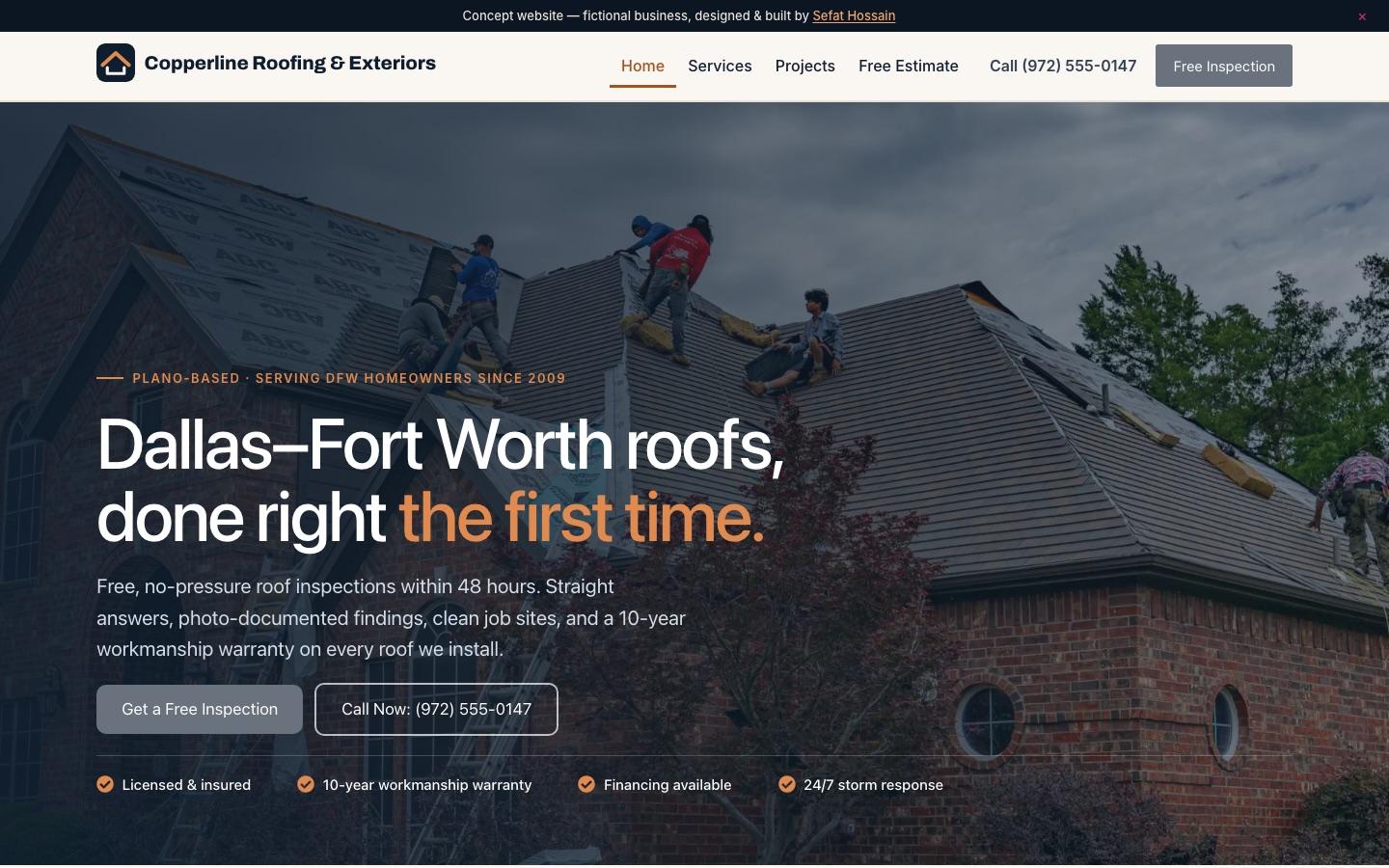
A Dallas–Fort Worth roofing concept site built around free inspections, storm-damage help and a quote form. It is a concept site for a fictional business, built in WordPress to show what your site could look and work like. Click around it like a real visitor would.
Open Copperline Roofing & Exteriors ↗Common roofing company website mistakes
- No clear service area, so visitors can't tell if you cover them
- Galleries that load slowly and push the contact form off the screen
- One generic services page instead of repair, replacement and storm pages
- No visible warranty or license details
HOW IT WORKS
From plan to launch, with security built in
Plan
We agree on your goals, pages, forms and integrations, and you get a fixed quote and timeline before any design starts.
Design
Homepage and key page designs for desktop and mobile, built around the one action you want visitors to take.
Build
A fast WordPress build you can edit yourself, with SEO foundations, speed tuning and accessibility checks.
Secure and launch
Hardening, backups and monitoring set up before launch, then a walkthrough so your team can manage the site.
I also clean hacked WordPress sites for a living, so every site I build ships with a small, vetted plugin set, locked-down logins, a firewall, off-site backups and update monitoring. Budgeting? See how much a WordPress website costs, or read about my WordPress website development service.
FAQ
Roofing Website Design: common questions
How much does a roofing website cost?
It depends on the number of service and city pages, galleries and integrations such as financing or CRM forms. See the WordPress website cost guide for typical US ranges; you'll get a fixed quote before work starts.
Can you connect the inspection form to my CRM or email?
Yes. Forms can send to email, a CRM or a scheduling tool, with spam protection so you only get real requests.
Will the site help me rank in my area?
It gives you the foundations: service and city pages, fast mobile pages and correct local business details. Reviews and a Google Business Profile matter a lot for roofers, too.
Website design for other industries
RELATED SERVICES
Explore web development services
Custom Web Development (Next.js & React)
Custom websites and web apps in Next.js and React — fast, scalable and secure by design.
Website Speed Optimization
Make a slow WordPress site fast — Core Web Vitals, caching, images and hosting tuned.
WordPress Website Cost
What a WordPress website costs in the US in 2026, from DIY to custom builds, and what drives the price.
Website Redesign
Redesign an outdated or slow website without losing your Google rankings.
Want a site like this for your roofing company?
Tell me about your business and what the site needs to do. You'll get a plan and a fixed quote before any work starts.
Start a website project